

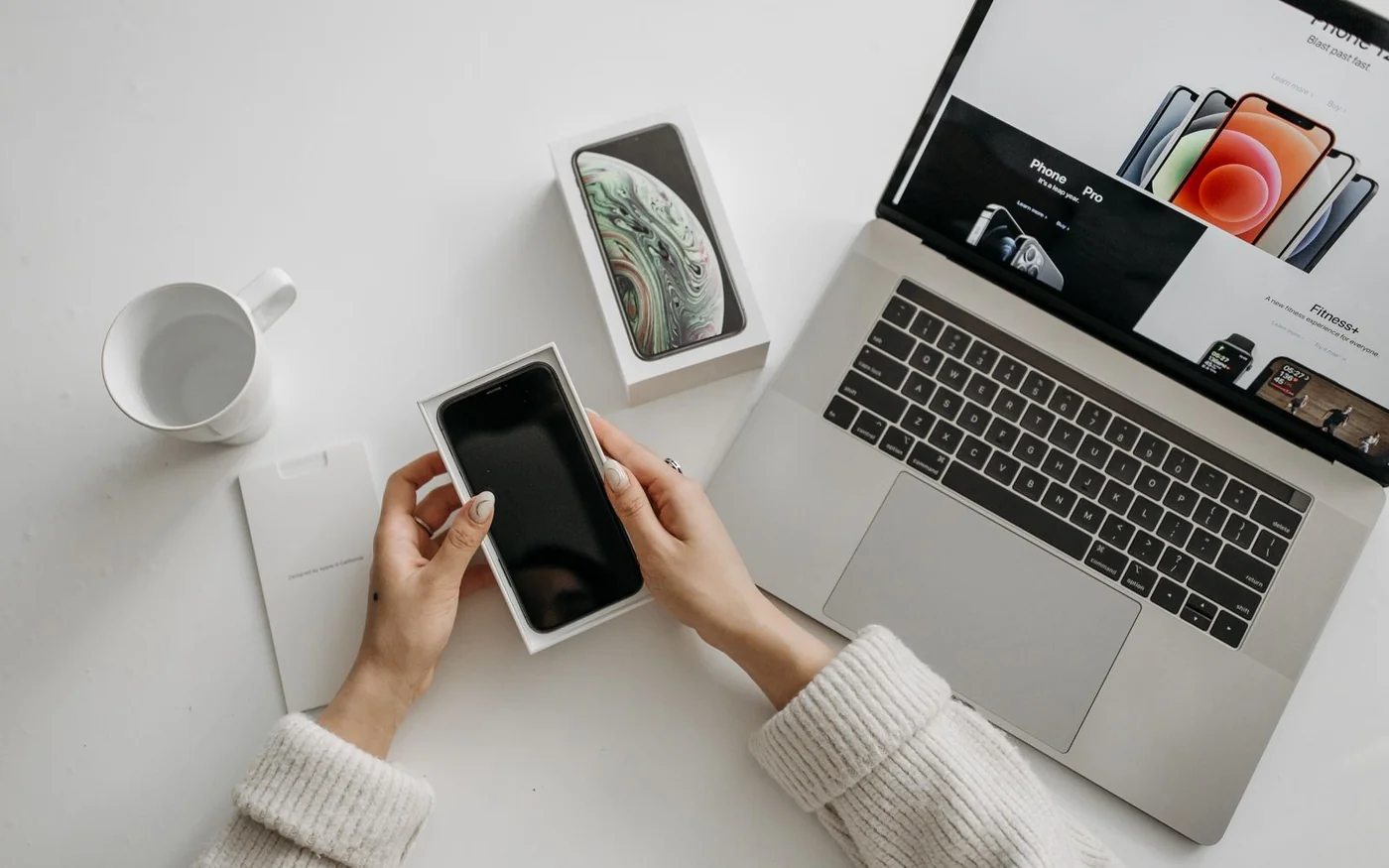
An open-box deal is worth a trip when you can identify the exact unit, see how it works and tell who will help if it fails. In Dubai listings checked on 6 November 2026, PZM advertised a 15-inch MacBook Air M5 at AED 4,800, against AED 6,299 for the corresponding new configuration at Apple UAE. That gives you an AED 1,499 item-price gap, assuming the local unit matches the configuration you need. It gives you a reason to inspect the laptop. Keyboard layout, charger, battery and service coverage still matter.
The other example shows how little the open-box label alone can tell you. Jumbo had an Optoma HD27 display/open-unit projector at AED 2,834. The product listing said it came with a box and accessories, but it also said no returns or exchange and no warranty. Jumbo's general open-box terms describe a seven-day return route for defects. Resolve that difference for the exact projector before committing, and establish what you would be saving against a unit you could actually buy.
The offers and the comparison prices
| Listing checked | Public price | What the listing establishes | What you still need |
|---|---|---|---|
| PZM Al Barsha, open-box 15-inch MacBook Air M5, blue, 16 GB/512 GB | AED 4,800 | Local enquiry listing showed two units and seller-reported 100% battery health | Exact part number, keyboard, included charger, pickup or delivery, current unit and coverage |
| Apple UAE, new 15-inch MacBook Air M5, Sky Blue, 16 GB/512 GB | AED 6,299 | Same headline configuration with 10-core CPU and GPU, free shipping advertised | Delivery or collection slot for your order |
| Jumbo, Optoma HD27, CLL-HD27, display/open unit | AED 2,834 | Good grade, in-stock indicator, box and accessories marked present, no warranty on listing | Accessory inventory, lamp hours, delivery and written defect-return terms |
These were public product prices on 6 November 2026. None is a final delivered total. The MacBook comparison matches the advertised generation, screen size, colour family, memory and storage. PZM doesn't publish its exact regional part number, so ask for that before calling it a like-for-like deal for your own keyboard and adapter requirements. The Jumbo page showed AED 2,834 in the live view. If you see an older price in search results, use the exact product's current price and stock message instead. PZM Al Barsha stock list · Apple UAE new 15-inch MacBook Air · Jumbo Optoma HD27 open-unit listing
PZM's MacBook Air is a price gap you can investigate
PZM lists the blue 15-inch M5 MacBook Air in open-box condition with 16 GB memory, 512 GB storage and 100% battery health. The store lists a six-month warranty on pre-owned devices and directs shoppers to confirm availability before visiting. The advertised AED 4,800 is about 24% below the Apple UAE item price for the corresponding new configuration. Before valuing that gap, ask whether the six-month warranty on this unit covers the battery, power adapter and charging faults, and who handles a claim. Separately check for remaining Apple coverage. A store warranty and Apple coverage can have different start dates and claim routes. PZM Al Barsha stock list · PZM warranty information · Apple UAE new 15-inch MacBook Air · Apple coverage guide
If there are two units on the shelf, inspect the one you will take. Match the serial shown in macOS to the invoice and check the box label where a box is supplied. Ask to see battery condition and cycle count on that machine. The seller's 100% figure describes reported battery health. It doesn't give the cycle count or tell you whether the unit has been activated before. Check the keys and keyboard layout, connect the included charger and test a port you rely on. If you use an external display every day, ask whether you can check the appropriate connection with your own known-good cable. Apple guide to finding the Mac model and serial
Have the seller show that the Mac can be set up after an erase. A machine sitting at a desktop might still be linked to a previous owner's Apple Account. Apple explains that Activation Lock can require that person's credentials to reactivate the Mac. If setup presents an unexpected organisation-management screen, ask for the machine to be released and rechecked before purchase. Get the list of included accessories in writing. If the Apple adapter or charging lead is missing, include what you'll actually spend replacing it when you compare with the new machine. Apple Activation Lock for Mac
The stock list is an enquiry route for the Hessa Street shop inside Union Coop Hypermarket, Al Barsha. It mentions pickup and delivery coordination, with terms confirmed by the store. Plan a visit only once you've confirmed the particular unit is still there, especially if you want a keyboard layout the listing doesn't name. Review the store's returns page and ask how it applies to the exact open-box invoice. A warranty claim and a change-of-mind return are separate questions. PZM Al Barsha stock list · PZM return policy
Jumbo's Optoma HD27 needs a working demonstration
Jumbo labels the CLL-HD27 unit Good and identifies it as a display/open unit. It reports the box available and undamaged, accessories present and no scratches on the unit. Its images are reference images, so the condition notes are what you can compare to the projector you are offered. The heading identifies Optoma while a separate brand label shows LG. Ask the seller to verify the model plate before you use any specifications to plan a mount or screen. Jumbo Optoma HD27 open-unit listing
The Optoma documentation describes a lamp-based 1080p projector. With a display unit, check the lamp hours and ask whether the lamp was replaced and the counter reset. Then ask for the projector to run long enough to see a steady image. Bring a source and cable you know work if the store allows it. Check HDMI input, focus and a plain light image where marks or stuck pixels are easier to see, then try a darker scene. Ask for the remote and power lead to be named on the item record. “Accessories available” leaves room for different interpretations, and a universal remote or replacement lamp can change what you end up paying. Optoma HD27 technical sheet · Jumbo Optoma HD27 open-unit listing
The Sharaf DG result headed HD27 showed out of stock and identified HD27E in its model field. Procure lists the HD27 but directs shoppers to request a price. Neither provides a buyable new HD27 comparison price in the sample. There's no verified AED saving for Jumbo's unit. Judge the AED 2,834 against your room, the demonstration and the replacement cost of any missing parts. Sharaf DG projector listing · Procure Optoma catalogue
Jumbo's open-box programme describes seven days from delivery for defective returns and says its open-box items lack warranty. This particular product page separately says no exchange or return. Get written clarification on whether the defective-return route applies to CLL-HD27 and what evidence Jumbo needs if it fails at home. For a remote order, find out when the seven-day clock would start and what happens if the store needs time to inspect the unit. A buyer who cannot test the projector until the room is ready should factor that timing into the purchase. Jumbo open-box terms · Jumbo Optoma HD27 open-unit listing
Read the offer and the warranty as separate documents
Sharaf DG's open-unit terms give a different example of how seller programmes work. Its dedicated terms describe six months of UAE-limited warranty from invoice and a seven-day defective-return route from purchase, subject to testing. The offer description is where it tells shoppers to check what comes with a particular unit. Use the dedicated terms and the item record together. Ask who issues the warranty on the invoice and where you bring the device. This matters if the retailer hosts a marketplace offer or if the listing simply describes a period without naming the issuer. Sharaf DG open-unit terms
Run through the same three questions even when the unit looks untouched. First, what will you take home, down to the cable and serial number? Second, can you start it and use the functions you bought it for? Third, who will take it back or repair it, by what date and under which conditions? For a device you need for work tomorrow, include the cost of a missing charger and the time needed to arrange a return. For a projector that will sit boxed until the room is ready, arrange the test while the seller can still inspect it. Save the dated product description, invoice and messages about condition so the exact promises are easy to find.
Keep the discount calculation tied to the unit
Start with the price of the new item you can buy today. Use the same capacity, screen size and regional configuration, and include any mandatory delivery fee. Put the open-box price on the next line with its delivery or collection costs. Then add only the missing parts you would actually replace. For the MacBook, that might be the charger or cable. For the projector, it could be a remote or a lamp if the demonstration gives you a reason to replace one. Keep an unknown lamp price or delivery charge as an open line in the comparison until the seller or supplier gives you a figure.
A useful last check is how much of the apparent saving would survive one problem. If a projector has to go back for inspection, consider how long you can leave the room setup unfinished. If the MacBook is for work, find out whether a claim involves leaving it at a shop and how the shop handles turnaround. Those answers matter more if it would be your only machine. Keep a screenshot of the condition and accessory list, including any written clarification that changes the original listing. Match it to the invoice and the unit while both are in front of you.




Comments (0)
No comments yet. Be the first!