

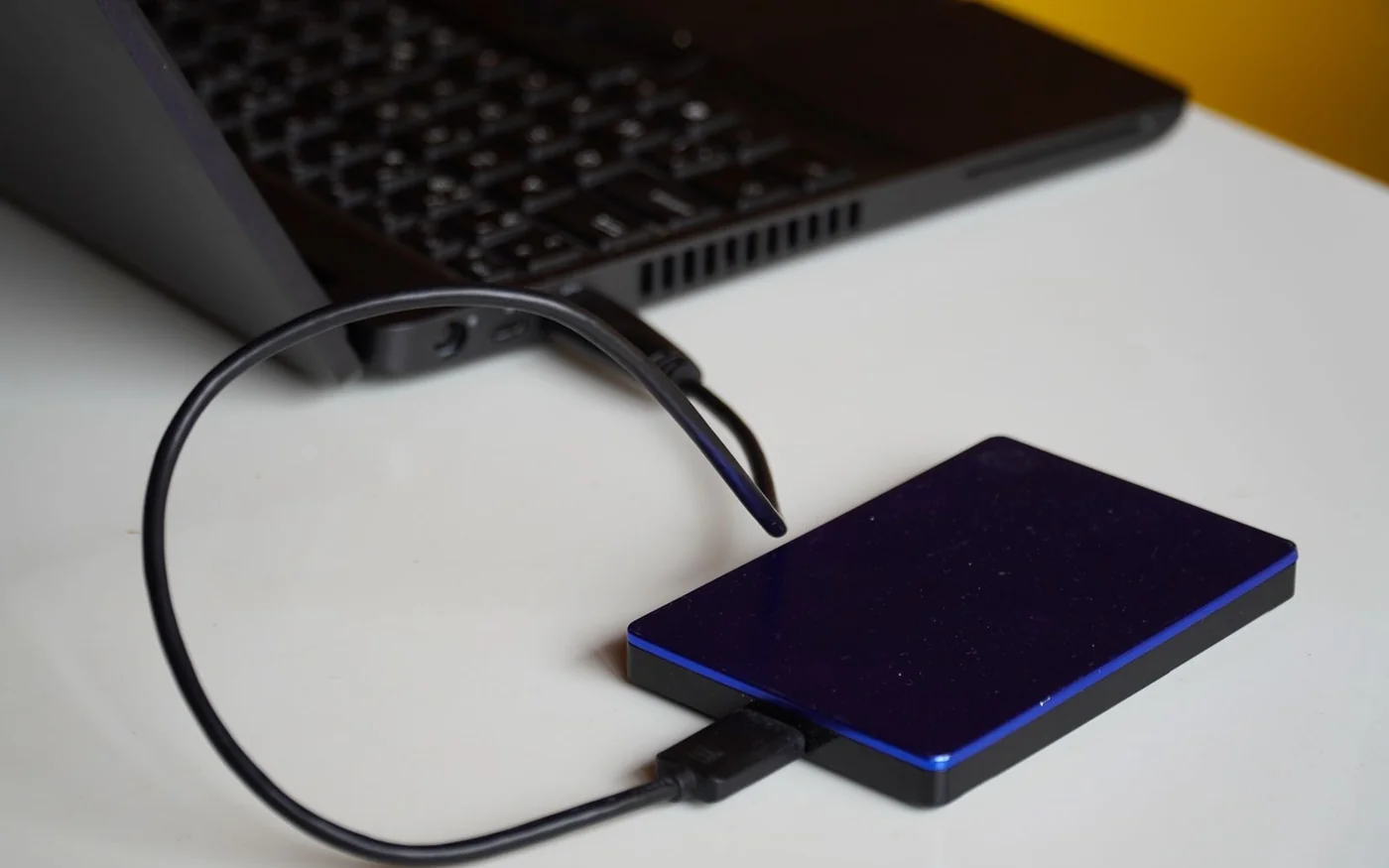
A portable hard drive makes sense if you back up one laptop and want a copy you can unplug and store elsewhere. A desktop hard drive gives you more space at a fixed desk for a photo or video archive. A two-bay NAS makes sense when several people need to back up over the home network and someone can manage it. For the UAE listings checked on 6 November 2026, the examples are AED 775 for a 4 TB WD Elements Portable at Jarir, AED 919 for an 8 TB Seagate Expansion Desktop at CTENS, and AED 3,490 for a Synology DS225+ and two 4 TB disks priced separately at PNP Storage. The NAS figure covers the hardware for a mirrored setup. Allow for a separate backup of anything that lives only on the NAS. Jarir WD Elements Portable · CTENS Seagate Expansion Desktop · PNP Storage DS225+ · PNP Storage HAT3300-4T
Decide what you need to recover first. It could be the photos from last week, the current laptop setup or a folder a family member accidentally deleted last month. That answer determines how often to back up, how much history to keep and whether you need a drive attached to one machine or storage everyone can reach.
Portable disk for one laptop or an unplugged copy
Jarir’s black WD Elements Portable 4 TB, store SKU 517709, lists manufacturer number WDBU6Y0040BBK, AED 775 including VAT and 12 months of warranty by Jarir. The rendered listing showed an Add to Cart button and a separate showroom stock check. Confirm your branch or delivery area. WD’s regional data sheet identifies the 4 TB WESN model and the included USB cable. The drive takes power from USB, so you can back up at a table without finding another wall socket. If the laptop has only USB-C, check you have a compatible data cable or adapter for the supplied connection. Ask the seller to confirm the full suffix and the claim route if those affect your choice. Jarir WD Elements Portable · WD Elements Portable data sheet
This option works when you can attach the disk on a schedule. Pick a time when the laptop is usually home and powered, let the backup finish and disconnect the drive safely. For irreplaceable folders, keep another copy away from the laptop and this disk. A portable drive can travel to another location, but keeping it in the same backpack as the laptop leaves both copies exposed to the same loss. If you move the drive between places, encrypt the backup where your software supports it and save the recovery information somewhere you can reach without the laptop. CISA backup and restore guidance
If you use a Mac, Apple recommends a Time Machine disk with at least twice the Mac’s storage capacity as an ideal starting point. By that rule, a 4 TB disk is a reasonable starting size for a 2 TB Mac, subject to how much space the backup needs and what else you put on the disk. Set up the destination using the backup tool and check whether it needs to erase or reformat the drive. Do that before adding any other files you intend to keep. Apple’s Time Machine capacity guidance

Desktop disk for a larger archive that stays at the desk
CTENS showed the black Seagate Expansion Desktop 8 TB, STKP8000400, in stock at AED 919 including VAT, with Add to Cart and a public estimate of delivery within two working days. The drive connects by USB and needs its included power adapter. Check that you have a socket nearby and space where the cables can stay in place. The listed price works out to about AED 115 per nominal TB, compared with about AED 194 per nominal TB for the 4 TB Jarir example. That is a comparison of two listings with different capacities, power requirements and sellers. It does not establish a performance or reliability advantage. CTENS Seagate Expansion Desktop · Seagate regional data sheet
An 8 TB desktop disk makes sense for a household with several years of videos on a computer and external media. If your current library uses 4 TB, the larger disk leaves room for growth and some history, depending on the backup settings. Before moving anything, decide which disk holds the original library. If you transfer a folder to the new drive and delete the source to free up space, that folder now lives on the new drive alone. Make and check another copy before clearing the original.
Seagate’s regional sheet lists a two-year limited warranty for the EMEA STKP8000400 and refers to Rescue service subject to availability. Ask CTENS to confirm the regional entitlement and local claim procedure for the actual unit. The seller advertises warranty and recovery service on the listing. Verify who handles each claim, what happens if the box is opened or the drive arrives faulty, and whether the published delivery estimate applies to your address. Even an eligible recovery service cannot promise that every file will be recovered. Seagate regional support · CTENS Seagate Expansion Desktop

Two-bay NAS for several computers and an always-available destination
PNP Storage’s public listing showed the Synology DiskStation DS225+ at AED 1,470 and the 4 TB HAT3300-4T at AED 1,010 each, including VAT. Both showed in-stock labels and Add to Cart. The seller also warns that some storage sales are paused and stock can be oversold. Confirm the live quote, availability of two matching disks and delivery before relying on the AED 3,490 item total. Treat the enclosure price as the price of the box and verify any bundle in writing. PNP Storage DS225+ · PNP Storage HAT3300-4T · PNP Storage UAE retail terms
The DS225+ has two drive bays and wired Ethernet with 1 GbE and 2.5 GbE ports. Connect it to the home network and set up backups on each machine you want to protect. This can suit a household with two laptops that rarely stay docked and a shared photo library. It also means someone needs to check failed jobs, manage updates, and know how to restore files. The connection you get from a Wi-Fi laptop still depends on the rest of the network. A faster port on the enclosure gives you little benefit if the path between laptop and storage is slower. Synology DS225+ specifications · Synology DS225+ setup manual
Two 4 TB disks provide 8 TB raw. In a two-disk mirror or Synology Hybrid RAID with one-drive redundancy, plan on roughly 4 TB nominal before system and filesystem overhead. The mirror can keep the pool working after one disk fails. The same deleted file can disappear from the live view on both disks, and both sit in the same enclosure. Use a versioned backup for recovery from mistakes and keep a separate copy on a different destination. Synology describes Hyper Backup for sending data to other destinations, including external storage. Check the full capacity of what you need to copy and allow room for versions on that second destination. Synology RAID calculator · Synology backup guide
Synology advertises three years of hardware warranty on the enclosure and a three-year limited warranty on its Plus-series drives. Confirm the local issuer and process for both components. PNP Storage’s retail policy describes a short three-day window for specified delivery problems and gives conditions for original packaging. Ask how to report a drive that appears defective only after installation. Check compatibility against the NAS and current software version before opening drives bought separately. Synology DS225+ specifications · Synology Plus-series drive specifications · PNP Storage UAE retail terms
Test the restore while the originals still exist
Start with a folder containing a document, a photo and a video. Run the first backup and restore that folder to a different location. Open each file. Then try restoring an earlier version of a file you changed. If backups are encrypted, check that you can find the recovery information from another device. Schedule the same check after major changes, such as replacing the router, changing the backup password or moving the library from a laptop to the NAS. This tests the actual steps you would need when the original device is unavailable. CISA backup and restore guidance
For a household with one working computer and a stable archive, a USB disk and an additional separate copy are often easier to keep current than a network system. At the listed prices, the desktop and portable examples together cost AED 1,694 before any address-specific charges. The smaller disk can hold a selected backup of irreplaceable files if the entire desktop archive exceeds its capacity. For a home where several computers need to back up without anyone passing a cable around, the NAS earns its higher price through shared access and scheduling. Set aside enough money and time to back up the NAS itself.
If you have a cloud sync folder, test what happens when you delete a disposable file and look for a previous version. Check how long that recovery path is available and whether you can reach it if your main device is lost. For a shared NAS, make sure each household member knows which folder is backed up and which files are only on their own computer. The first useful milestone is a successful restore of a file someone would genuinely miss. After that, choose a schedule the household can keep.
Size the first backup and the next year separately
Write down how much data you have today, how fast the important folders grow and how much history you want to keep. A household with 1.5 TB of photos that adds 250 GB a year would have about 2 TB of originals after two years at that pace. A destination also needs room for versions, its own overhead and any other devices it backs up. If both laptops contain a copy of the same family album, check how the chosen software stores those backups before assuming it will count the album only once.
Do the same exercise for what can fit away from home. If your archive is mostly replaceable downloads and a much smaller folder of family photos, a separate copy of the photos can be practical even when a second disk large enough for the whole archive is outside the budget. Keep a list of what that smaller copy contains, so the household knows which files would still be missing after a loss. If you need full coverage, size the second destination for the whole protected set and its history.
For a family with a fixed desk and just one laptop, start by seeing whether a scheduled USB backup actually gets done for a few weeks. If it regularly gets skipped because the laptop is elsewhere, a network destination can remove that step. If the problem is that no one checks failures or knows the recovery password, assign that job before adding a NAS. The new box changes how files get there. Someone still has to check that they arrived and can be restored.


Comments (0)
No comments yet. Be the first!