

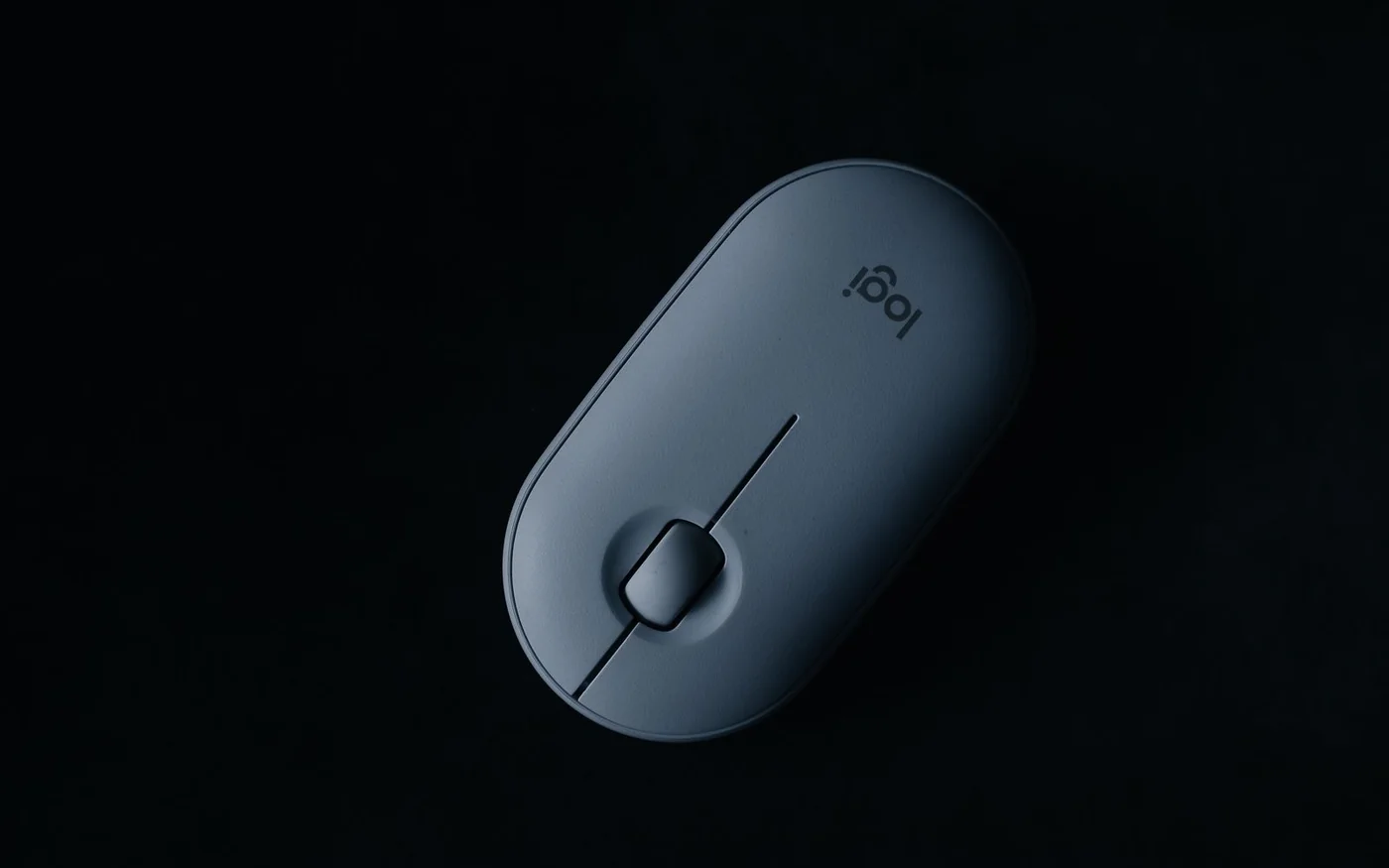
Start with what your hand does all day. If you carry a mouse between desks and only need clicks and scrolling, the Logitech Pebble Mouse 2 M350s is the easiest of these three to pack. If you want to try a more upright right-hand grip and have a small or medium hand, look at the Logitech Lift. If you spend hours moving through wide spreadsheets or timelines and want a wheel under your thumb, the MX Master 3S is the shape and control layout to try. The graphite 3S was out of stock online at Virgin Megastore UAE when checked, so treat it as a comparison point if you need a mouse today.
All three can switch between paired devices. That makes the buying decision more specific than simply finding the words “multi-device” on the box. Think about how often you switch, whether either computer allows Bluetooth or software installation, and whether you'd be happy turning the mouse over to change channels. A once-a-day switch between work and home is a different job from moving between two screens throughout an edit.
Three shapes and what the UAE listings showed
| Mouse and exact listing | Body length × width × height | What you gain | Virgin Megastore UAE on 6 November 2026 |
|---|---|---|---|
| Pebble Mouse 2 M350s, Tonal Rose, 910-007014 | 106.7 × 58.7 × 26.62 mm | Slim, symmetric shape, simple controls and replaceable AA battery | AED 66, Add to Cart shown |
| Lift, Graphite, 910-006473 | 108 × 70 × 71 mm | Upright right-hand grip, thumb buttons and replaceable AA battery | AED 264, Add to Cart shown |
| MX Master 3S, Graphite, 910-006559 | 124.9 × 84.3 × 51 mm | Larger right-hand shell, main scroll wheel and separate thumb wheel, USB-C charging | AED 551 displayed, out of stock online |
These were product-page prices in AED. Prices can differ across colours and sellers, and the listing alone gives you no branch stock or delivered total. The AED 551 figure describes the out-of-stock listing, so compare any fresh offer on its own terms. Virgin Pebble listing · Virgin Lift listing · Virgin MX Master 3S listing
Pebble Mouse 2 M350s for a laptop sleeve or shared table
At under 27 mm high and 76 g including its battery, the Pebble is a sensible pick when the mouse needs to share a shallow sleeve pocket with a charger. Its symmetric body also suits a shared table where one person mouses with the left hand and another with the right. The basic controls are left click, right click and a clickable wheel. If your current mouse has side buttons and your thumb instinctively goes back a page, that habit matters more than the Pebble's low price. You can assign a different action to the middle click in Logi Options+ on a supported computer, but that uses the same control you might already press to open a browser tab. Logitech UAE Pebble 2 · Logitech Pebble measurements
The short, flat shell works best if your fingers can guide the mouse comfortably while your palm stays relatively free. If you like resting the full weight of your hand on a mouse, pay attention to what your ring finger and little finger do. You may find yourself pinching the narrow body every time you lift it. Try the shape with your arm in its usual position, then move the pointer from one side of a screen to the other and make several short corrections. A mouse can feel fine in your hand at the counter and feel different once you start dragging and selecting.
The standalone Pebble 2 pairs over Bluetooth and can switch between up to three paired devices. It supports a separately sold Logi Bolt receiver, so count that as another purchase if the machine you need to use cannot pair over Bluetooth. Check the full model name on the box. Logitech's original Pebble M350 and the Pebble 2 M350s have similar silhouettes, and the mouse sold on its own and the Pebble 2 Combo have different box contents. The AA battery is replaceable, so for a trip you can choose to carry a spare cell instead of another charging cable. Logitech UAE Pebble 2 · Logitech Pebble 2 Combo setup · Logitech Pebble 2 battery guide
Lift for a small or medium right hand
The Lift and the Pebble are nearly the same length on paper. Put them side by side and the difference is where your hand sits. The Lift rises 71 mm above the desk and angles the grip about 57 degrees. Its thumb rest and side buttons are part of that shape. Check whether your thumb can find both buttons while your index finger stays over the main click. If you need to crawl up the mouse to reach a button or squeeze the shell to steady it when you click, the upright angle alone gives you little reason to buy it. Logitech offers a distinct left-hand Lift. The graphite listing in the table is for the right-hand model. Logitech UAE Lift · Logitech Lift specifications
The Lift makes most sense for someone who wants thumb shortcuts but has little use for a dedicated horizontal scroll wheel. The forward and back buttons are easy to put to work in browser-heavy tasks if your thumb falls naturally over them. Try clicking and dragging a small object as well as scrolling. On a vertical mouse you press the main buttons at a different angle, and dragging will tell you whether you can keep the pointer steady with your usual grip. Check clearance if you work under a shelf or pull-out tray. The 71 mm height covers the shell, and your knuckles need some room above it.
The standard Lift uses one AA battery and includes a Logi Bolt USB receiver as well as supporting Bluetooth. That gives you a route for a laptop with Bluetooth and a separate desktop with an available USB-A port. If the desk computer belongs to an employer, check whether it accepts the receiver. If you have a dock, identify which computer actually receives input from its USB ports. When the dock follows one laptop, the receiver follows the dock. Use a separate connection to the second computer if you want switching to work while both machines stay in place. Logitech UAE Lift
MX Master 3S for wide sheets, timelines and a permanent desk
The 3S has the widest body here and weighs 141 g. Its value is in the layout if your hand fits it. You get a main MagSpeed wheel for vertical scrolling and a separate thumb wheel that can handle horizontal movement where supported. Think of a large spreadsheet with a frozen name column, a project board with many columns or a timeline that extends beyond the screen. Moving your thumb to a wheel can save repeated trips to the bottom scrollbar. If your main work is clicking around short documents or browsing, test whether the extra bulk earns its place next to your keyboard. Logitech MX Master 3S specifications · Virgin MX Master 3S listing
The wide thumb shelf can give your hand somewhere to settle, but it also makes the mouse wider than the two others. Try reaching the thumb wheel and the forward and back buttons without shifting your whole palm. Then sweep across the desk and lift the mouse to reset it once or twice. A broad, heavier shell can suit someone who keeps it planted and uses a larger mat. If you have a full-size keyboard, a narrow desk and a habit of repeatedly picking up the mouse, pay attention to how far to the right your hand starts and how many times you reset it in a normal task.
The 3S charges over USB-C. For the wireless connection, Logitech documents Bluetooth and Logi Bolt support for the model family. Check the actual box contents against the part number and edition before paying if a receiver is essential. A listing for a Bluetooth Edition, a Mac edition or an open-box unit deserves its own box-content check even when the silhouette and headline look familiar. An old Logitech USB receiver in a drawer is only useful if it supports the correct pairing system. Logitech MX Master 3S specifications
Switching between devices at a real desk
For one work laptop and one personal laptop, start by assigning each to its own Easy-Switch channel. Pair them while both are nearby and give the channels a fixed order so you remember which machine is first. For occasional switches, a brief reach under the mouse is easy to live with. If you make the switch every few minutes, do the movement several times before you buy. A display input button and a keyboard device switch may already be part of the routine, and the mouse adds one more control.
If both computers have their own screens and you want to move the cursor across the edge between them, the MX Master 3S supports Logitech Flow. Pair the mouse with both computers first. Flow then needs compatible computers with Logitech's software set up on each and a network the machines can use to find each other. For a managed work computer, check the software permissions and network setup before counting on it. Manual switching remains the straightforward option for separated networks if the two devices support their chosen mouse connections. Logitech Flow setup · Logi Options+ support
Also separate mouse pairing from the action you want to customise. A computer may accept a Bluetooth mouse for everyday pointer controls while restricting the software needed for an app-specific shortcut. If your shortlist depends on a thumb gesture in a particular editor, verify that app and operating system combination. For a personal tablet or a Chromebook, check the manufacturer's platform list for basic input first and evaluate custom controls separately. On a USB-C-only laptop, account for the adapter or dock if you plan to use a USB-A receiver.
How to try one before paying
Take the measurements of the mouse you currently use and decide what needs to change. A narrower mouse can free space for a notebook alongside your keyboard. A higher body changes how the hand rests and how high your fingers sit above the desk. Size your usable desk area with the keyboard, mug and notebook in their ordinary positions. If there's a mouse on display, stand or sit so your forearm approaches it at roughly the same angle as it does at home.
Start with your natural grip. Scroll slowly, click a few times without looking down and try every button that justified spending more. For the Pebble, check whether the heel of your hand has enough support for a long session. For the Lift, try holding a click while moving the mouse. For the MX Master 3S, try reaching the thumb wheel without rotating your forearm. If the sample is connected, try a short text selection and a long scroll. These movements tell you more about daily use than the maximum sensitivity figure on the packaging.
Warranty, returns and pickup in Dubai
The three Virgin listings display a one-year manufacturer's warranty. Keep the invoice, part number and box, and ask the seller how it routes a manufacturer's claim if you need service. Virgin's published terms describe a 30-day return window subject to eligibility, condition and packaging. If hand fit is the reason you might return a mouse, confirm whether the store will accept the specific opened item before breaking the seal. Product pages can show general delivery wording or a store checker alongside the stock control. For a trip across town, confirm the chosen branch has your model and colour available for collection before leaving. Virgin Megastore UAE terms · Virgin Megastore UAE FAQ
The Pebble makes sense if pack size and a symmetric grip decide the purchase. Try the Lift if your thumb needs shortcuts and the smaller upright shell fits your right hand. Look for the MX Master 3S if a thumb wheel would change how you use a wide desktop app, then check a fresh offer for the exact edition and receiver bundle.





Comments (0)
No comments yet. Be the first!