

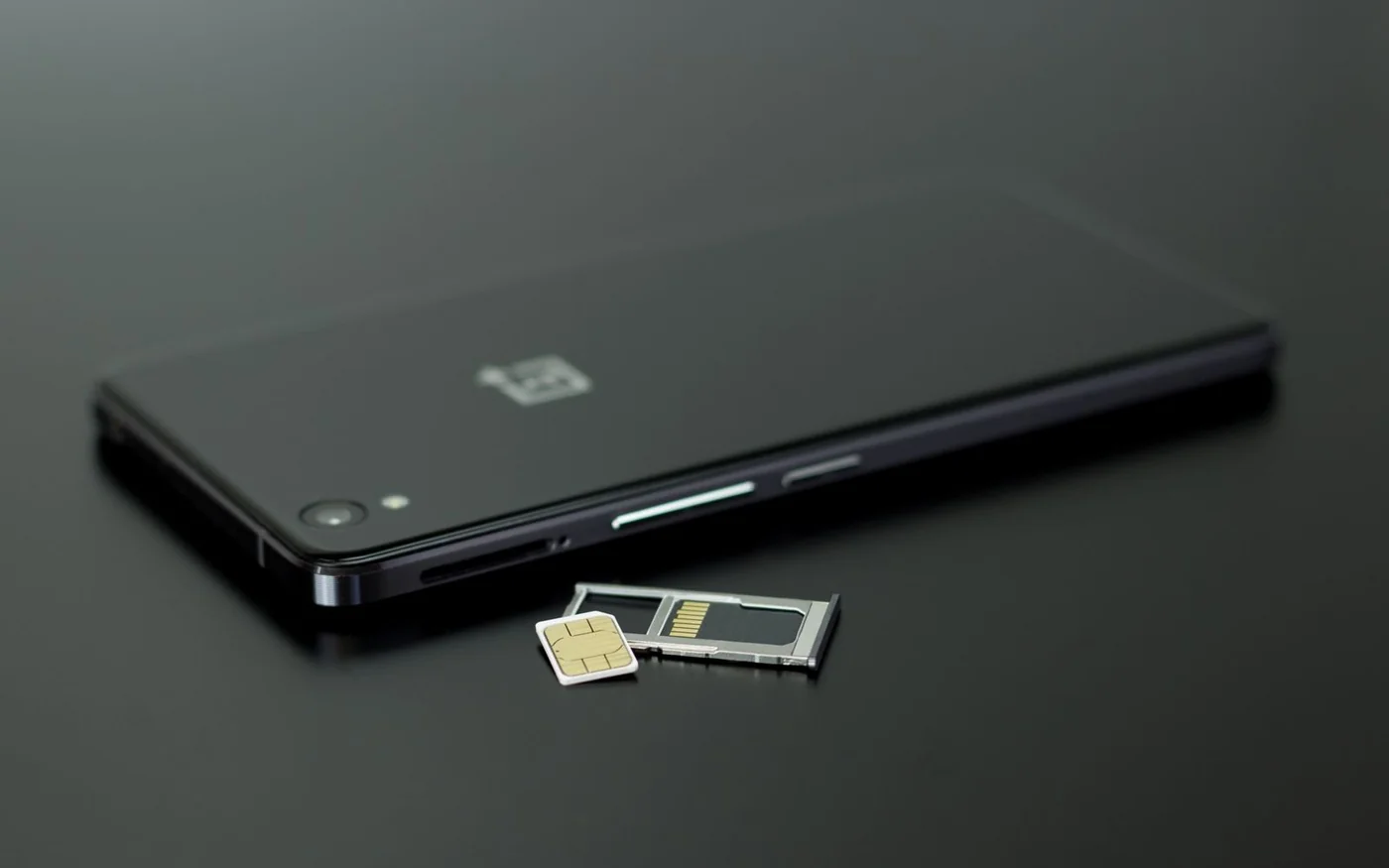
If you need to keep a physical SIM, ask for the exact model code before you pay for a phone in Dubai. The UAE iPhone 17, model A3519, has no physical tray and can run two active eSIMs. Samsung’s UAE listing for the White Galaxy S26 Ultra 256 GB, SKU SM-S948BZWIMEA, specifies three pairings. It takes two nano-SIMs, a nano-SIM and an eSIM, or two eSIMs. Those are two different ways to have a work number and a personal number on one phone. Apple UAE iPhone 17 specifications · Apple’s model identification guide · Samsung’s exact UAE Galaxy specifications
Start with the line that would be hardest to move. It might be a number your employer manages or a foreign number you use for bank messages. If its provider requires a physical SIM, keep a tray on your list. If both providers can activate eSIMs on your exact phone and plans, you can choose a phone without a tray. Decide how you’ll move the lines before trading in or wiping the old handset.
Two exact UAE variants compared
The public item prices below were checked on 6 November 2026. They are examples for the stated colour and storage, with branch stock, delivery and final checkout totals to confirm separately.
| Exact variant | SIM arrangement | UAE listing checked | Best fit |
|---|---|---|---|
| Apple iPhone 17, 256 GB Mist Blue, UAE model A3519 | Two active eSIMs. Apple says it stores eight or more profiles. No physical tray | AED 3,799 at Apple UAE | Both of your lines can move to eSIM |
| Samsung Galaxy S26 Ultra, 256 GB White, 12 GB RAM, SKU SM-S948BZWIMEA | Two nano-SIMs, nano-SIM plus eSIM, or two eSIMs | AED 4,299 displayed by MDS Mobile UAE | At least one line needs a physical card, or you want a choice of formats |
Apple iPhone 17 UAE for two digital lines
The Mist Blue 256 GB configuration was AED 3,799 on Apple’s UAE store page. Apple’s local specifications say two eSIMs can be active and eight or more can be stored. That is useful if you keep a UAE number and have travel profiles you switch on as needed. You choose which two are active at the same time. Apple’s UAE online shopping policy gives 14 calendar days from delivery for change-of-mind returns of standard hardware, subject to its terms. Check the seller’s own policy if buying elsewhere. Apple UAE store configuration · Apple UAE return policy · Apple on Instagram
Apple online holiday update, 6 November 2026: Eligible Apple UAE online purchases received from 6 November to 25 December 2026 can be returned until 8 January 2027. Consumer-financed purchases keep the standard window; other eligibility conditions still apply. Check the current Apple UAE return policy for your order.
For a work line and a personal line, think about which number you want people to see when you call. The iPhone lets you label the lines, choose defaults and assign a cellular data line. Apple says the phone uses one cellular data network at a time. Availability of the other number during a call can depend on carrier features and your settings. If you need both lines to take calls reliably while you are speaking on one of them, check how Wi-Fi Calling and cellular data switching work with your providers before making the move. Apple Dual SIM support
Samsung Galaxy S26 Ultra UAE for a physical card and room to change
The exact White 256 GB model was listed at AED 4,299 by MDS Mobile. Samsung’s UAE specification for that SKU is the reason to consider it here. You can leave a work or overseas number on a nano-SIM and move the other line to eSIM, or keep both on physical cards. If the provider later moves your work line to eSIM, the documented two-eSIM pairing gives you another option. In the phone’s Connections settings, use SIM manager to see which lines are enabled and select the preferences your software and carrier offer. Samsung exact UAE specifications · Samsung Dual SIM support · Samsung Gulf on Instagram
MDS Mobile’s policy states one year of UAE Samsung warranty for its Samsung products. It also sets conditions for returns, including seal and packaging requirements and service-centre approval for certain claims. Confirm the shop’s policy for a phone that has been opened and set up before relying on a return if one of your lines cannot activate. The listed item price establishes a price to compare. Ask for current orderability or a branch pickup confirmation if you need the phone on a particular day. MDS Mobile exact White 256 GB listing · MDS Mobile returns and warranty · MDS Samsung on Instagram
Check the operator before you move the number
Apple lists du, e& and Virgin Mobile in the UAE for eSIM activation methods such as an operator app or a QR code. That list does not establish that every line can use the phone’s built-in transfer prompt. Check whether your plan is consumer, business or managed through an employer, and whether the account holder has to approve the change. If you’re moving between Android and iPhone, ask the carrier whether it will issue a new profile or can transfer the existing one. Apple’s eSIM provider directory · Samsung Gulf eSIM transfer troubleshooting
For a du consumer number, du describes using Manage SIM in its app on the destination phone, with UAE PASS verification. Have Wi-Fi, updated software and enough charge. du also describes an in-store QR route with valid ID for consumer customers who don’t have the app, and a separate route through the authorised company representative for eligible corporate lines. If the line belongs to your employer, ask that person to confirm the process before you swap. du’s eSIM activation guide · du on Instagram
For an e& number, the operator describes an activation route through its app or an outlet. Its activation guide says a QR code can be generated through the app for an existing number or supplied by an agent for a new number. Ask which process applies to your plan and whether a new QR or verification step is required if the old phone is gone. Get that answer while you can still use the existing line. e& eSIM activation · e& UAE on Instagram
A travel eSIM raises a different question. Read the plan to see whether it includes a phone number, calls and SMS or supplies data only. A data plan can be handy for maps and messaging apps. If you need calls or verification texts on your usual number, keep that line available and check its roaming terms. On iPhone, choose the travel line for data and review the data switching setting before departure. A plan advertised for travellers can still have a different activation or start date from the day you install the profile. Apple’s guide to travelling with eSIM
What to check on a Dubai import listing
Ask for the model identifier, country of original sale and SIM arrangement in writing. For an iPhone 17, Apple identifies A3519 for the UAE and a group of other markets, A3258 for the US and Puerto Rico, A3521 for mainland China and A3520 for other markets. A3519 establishes the hardware group. To establish where the phone was sold and what local service applies, get the seller’s paperwork too. Apple describes trays in markets outside the listed trayless group. If you’re buying an import because you need a tray, verify the exact model and the working pairing you need with both operators. Apple’s model identification guide
Check that the handset is unlocked if you need two different carriers. On an iPhone you can look in Settings, General, About for the Carrier Lock entry. Apple says an unlocked iPhone displays “No SIM restrictions” there. The provider can separately confirm whether your plan supports features such as 5G or Wi-Fi Calling on that regional model. For an overseas Galaxy listing, look up the full suffix on the manufacturer’s regional support pages. The words “Galaxy S26 Ultra” and “Dual SIM” leave open which pairings the seller’s unit supports. Apple travel and carrier lock support · Apple cellular model and band list · Samsung’s exact UAE Galaxy specifications
Before opening the box, find out who handles warranty service in the UAE and what the seller does if it sends a different regional variant. A local service promise should identify the warranty provider. Keep the invoice and any message that confirms the specific model, SIM pairing or unlock status. If you need an essential work line to function on day one, a small saving matters less than having the right hardware and a clear activation route.
What to ask if you can only buy one phone
For a work and personal setup, tell the carrier or company administrator which number is already on a physical card and who owns the account. Ask whether that line can be converted, who must approve it and what happens if you later move back to a handset with a tray. If the answers are uncertain, choose a phone that can take the existing card and confirm the second line can be added alongside it. If carrying a separate work device is a company requirement, check that before treating dual SIM as a substitute.
For a Dubai resident keeping an overseas line, ask the overseas operator whether it can reissue an eSIM while you are outside its home market. That question matters if you lose the phone or replace it on short notice. Also check whether that overseas line can receive the calls or texts you need in the UAE under your plan. A phone supporting the pairing answers the hardware question. Your operator’s roaming and replacement rules determine what happens to the number.
If you're buying a new UAE line at the same time, ask the seller to separate the handset price from any plan charge or activation fee. Keep both quotes with the model identifier. Then you can compare the same handset across shops and the same service across carriers without assuming a headline device price includes both.
Move one line at a time
1. Prepare the destination phone. Connect it to Wi-Fi, update the software and have the carrier app or instructions ready. Keep the old phone charged and available. 2. Set up the first line. Make a call, receive a call or message, and check cellular data where the plan includes it. Keep a way to contact the carrier if activation stalls. 3. Add the second line and label both. Choose which number makes ordinary calls and which line supplies data. Make a test call on each and check the number the recipient sees. 4. Test the things you rely on. Try the work contact, voicemail or verification message you use regularly. Check roaming and any automatic data switching before crossing a border. 5. Finish the old handset handover after both lines work. Some transfers deactivate the old profile. Keeping the old phone available can still help with account access and troubleshooting.
For a physical work SIM, the checked Galaxy leaves you room to keep the card and add a digital personal line. For two eSIM-ready lines, the UAE iPhone 17 gives you that pairing without needing a tray. In either case, the purchase decision gets easier once you can write down the model code, the two SIM formats and how each number will activate.



Comments (0)
No comments yet. Be the first!