

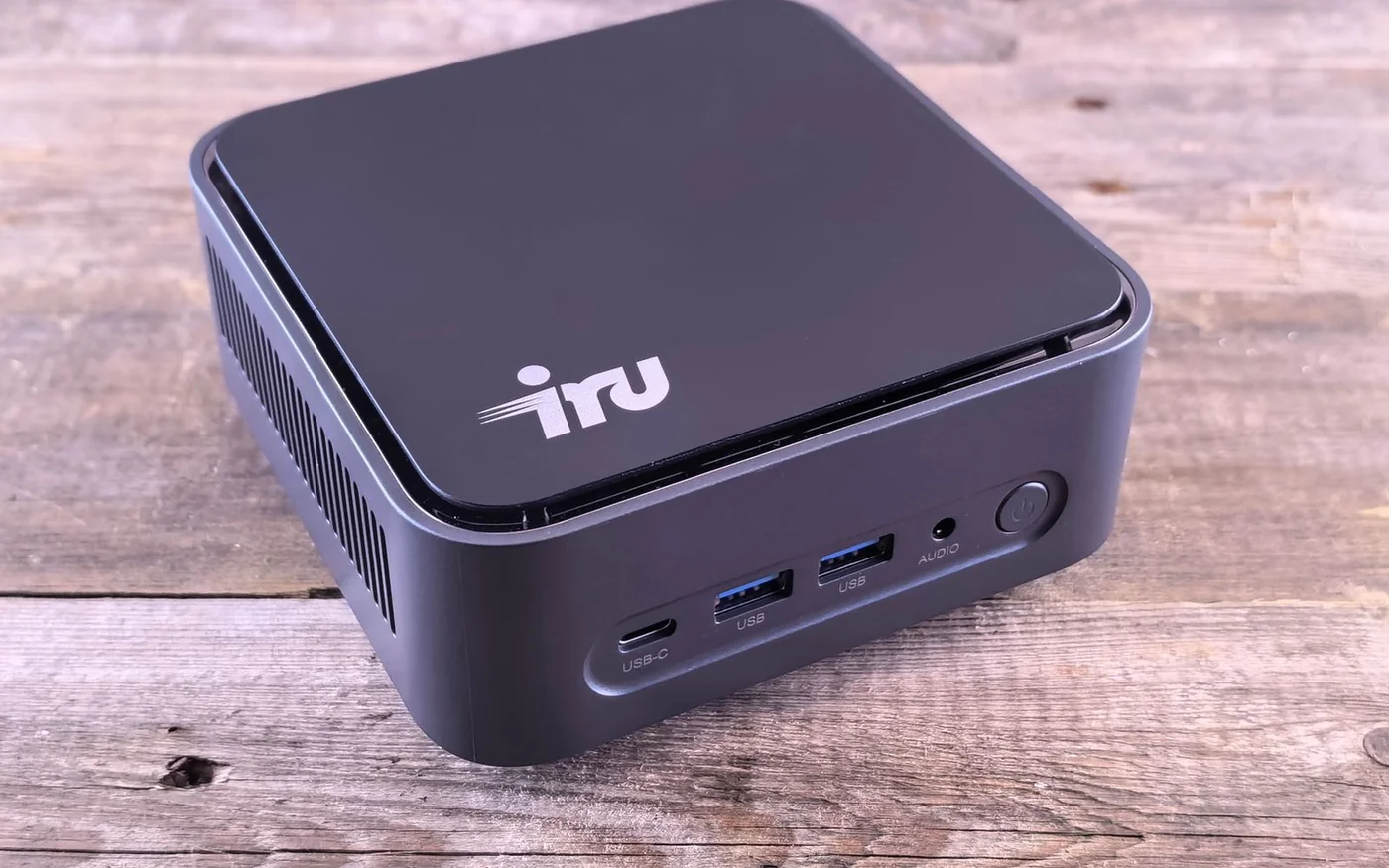
Buy a complete mini PC if you need a working desktop as soon as it arrives. Buy a barebones kit if you already have suitable parts or want to choose the memory, storage and operating system yourself. On 6 November 2026, an ASUS NUC 15 Pro kit was AED 1,925.70 on Microless. Adding the two separately priced components below took it to AED 3,550.70 before an operating system or assembly. Apple UAE showed the M6 Mac mini from AED 3,799. The prices get close once the ASUS has parts, but the machines answer different needs. Microless ASUS NUC offer · Apple UAE Mac mini configurator
Start with the app you cannot replace and the displays already on your desk. If you need Windows and want one purchase with the operating system installed, ask for a complete Windows configuration and its exact model code. A Lenovo ThinkCentre Tiny listing below illustrates what to ask for. If your software fits macOS, the Mac is ready to set up with your display and input devices. If you want to choose your own internal parts and are comfortable installing the system, the NUC gives you that control.
ASUS NUC 15 Pro if you want to choose the parts
The exact kit is the RNUC15CRKC500003, 90AR00R2-M000B0, with an Intel Core 5 210H. Microless showed AED 1,925.70 including VAT, sold by Formonix Trading LLC, with one unit in warehouse stock at the time and free delivery for the displayed Dubai location. The page lists no RAM, no storage and no preinstalled operating system. It displays a two-year warranty label. Ask Formonix who performs warranty service in the UAE, which power lead comes with this specific kit and how coverage works after you install parts. The stock count and delivery estimate can change. Exact ASUS kit and seller
ASUS lists DDR5 SO-DIMM memory and separate M.2 NVMe slots for 2280 and 2242 drives on this platform. Those last numbers indicate different lengths. A 2280 drive belongs in the longer slot, even when a second slot in the same case also says M.2. Check ASUS's compatibility information against the kit and the actual part numbers. If you already have a spare drive, read its label and check its interface. A desktop DDR5 stick and a short laptop-style DDR5 SO-DIMM are different parts. A drive that fits mechanically can also be the wrong interface. ASUS NUC 15 Pro specifications
The sampled Crucial CT16G56C46S5 16 GB DDR5-5600 SO-DIMM was AED 995 and the Kingston NV3 SNV3S/500G 500 GB M.2 2280 NVMe SSD was AED 630 at the specified Microless offers. Both showed stock at the check. They illustrate the listed memory and storage formats, and the combined figure is a sum of those listings. Confirm exact compatibility before buying, including any memory density or firmware requirements. At those prices, the parts add AED 1,625 to the box. Add a Windows licence if you need one, plus any setup labour, display cable and shipping that apply. If you already own compatible parts, do the calculation again using what you actually need to buy. Crucial module offer · Kingston 500 GB offer
A single module leaves room to add memory later if that kit supports the planned combination. If the machine will run several virtual machines or memory-heavy software, work out the target capacity now and compare the cost of a matched pair. If you want one drive for the system and a second for working files, price both sizes of NVMe drive and check what fits under the cover. A drive with a tall heatsink can need more clearance than the board itself. The manufacturer specifications are the place to check the supported arrangement.
ThinkCentre Tiny if you need Windows ready on day one
Gear-up.me lists the Lenovo ThinkCentre M70q Gen 5 Tiny, part 12TD000HCK, with an Intel Core i7-14700T, 16 GB DDR5, 512 GB NVMe SSD and Windows 11 Pro. The rendered page gave the part number and configuration, but a usable price and order control were absent at the check. Use it as a configuration to request or compare with a confirmed in-stock offer. The site displayed a 24-month local warranty message. Ask whether that applies to this part, who services it and whether the serial carries Lenovo onsite cover or a different arrangement. Gear-up.me Lenovo configuration
The useful distinction from barebones is that the configuration describes the memory, storage and Windows edition in the supplied system. Lenovo's M70q Gen 5 platform specifications list two DDR5 SO-DIMM slots, rear HDMI and DisplayPort, and optional ports that vary by configuration. Ask for the exact back-panel layout, the installed memory arrangement, and whether the keyboard, mouse, power adapter and VESA hardware are included on your offer. If you want to add memory later, one populated slot gives you a different upgrade path from two smaller modules occupying both slots. A listing that just says 16 GB can mean either arrangement. Lenovo M70q Gen 5 platform specifications
For a business desk, the best question may be who takes responsibility if the PC arrives and cannot drive both screens. Ask the seller to put the exact configuration and Windows edition on the quote and confirm the monitor outputs you need. If you're buying two or more for an office, ask whether the units are identical. Two computers with the same ThinkCentre family name can have different optional ports and accessories.
Mac mini if your apps and devices fit macOS
Apple UAE's retail configurator showed the M6 Mac mini from AED 3,799. Apple's specs list an M6 configuration with 16 GB unified memory and a 256 GB SSD, with higher memory and storage options. Check the final configured price after choosing them. If you plan to keep years of local photos or large video projects, price enough internal storage or an external drive from the start. Choose unified memory at purchase. There are no user-accessible SO-DIMM slots to fill later as there are on the ASUS and Lenovo platforms. Apple UAE Mac mini prices and options · Apple UAE Mac mini specifications
Check your software and anything that needs its own driver, especially if you're moving from Windows with a business printer, measurement device or specialist application. For a typical desk, the M6 has HDMI, three rear Thunderbolt 4 ports and 2.5 Gb Ethernet as standard. The front has two USB-C data ports and a headphone jack. If your keyboard, mouse receiver and webcam all use USB-A, budget for a suitable hub or adapters. Apple lists up to three external displays with specific resolution and refresh combinations. If one of your screens needs a high refresh rate, check the exact two-screen combination and connect it through the supported output. Apple M6 ports and display combinations
Apple's box list includes the computer and power cord. Add the display and input devices you do not already own. If you buy direct, use Apple's UAE terms for the return route and hardware support. If you buy through another shop, check that shop's return rules before opening the box. Apple UAE returns and refunds
Draw the desk before comparing the prices
Write each screen on a piece of paper with its inputs, resolution and refresh rate. Match it to a specific output on the computer. Two HDMI-only monitors can connect directly to the two HDMI ports listed for the NUC platform. A ThinkCentre with one HDMI and one DisplayPort may need the second monitor's DisplayPort input or a suitable adapter. On the Mac, plan the second connection around a supported rear Thunderbolt output or your existing compatible display hardware. Add the cost of the required cables. If you're sharing screens with a work laptop, check how the inputs switch and where the webcam and keyboard connect. ASUS port specifications · Lenovo port specifications · Apple M6 display support
If you want the PC behind a monitor, check the mounting pattern and whether the monitor arm already occupies the mounting holes. Look at where the computer's plugs point after mounting. A short chassis can still need room for a stiff HDMI cable and power connector. Leave access to the power button and space around the vents. A small box on an open shelf is easier to reach for a drive swap than one wedged between a monitor and the wall. If your current desk has a shallow drawer or enclosed compartment, check the manufacturer's placement instructions before using it as a home for the PC.
Plan the first afternoon with the new PC
For the barebones route, have a separate working computer available to prepare the operating-system installer and download the relevant drivers before you take apart your current desk. If the new machine has an empty drive, it will need a bootable installer. Keep an Ethernet cable handy in case wireless needs a driver during setup. Decide in advance which Windows edition and licence you need, or check that your Linux distribution supports the networking, displays and peripherals you rely on. Keep your current files backed up before repurposing a spare drive.
For either complete system, check the hardware and connections before moving all your work. Connect one screen first, then add the second and select the resolution and refresh rate you expect. Test your webcam, microphone, audio and any device you cannot work without. If you use a shared monitor with another computer, switch between them a few times and make sure your input devices follow the intended machine. This catches a missing adapter or an inconvenient switch before you have packed away the old setup. Save the exact model and seller details with your receipts so you can describe a problem clearly if something fails.
Check support while the boxes are still sealed
Keep the kit and part receipts together. If a home-built NUC fails to start, the seller may need to know whether the fault is in the kit, memory or drive. Ask how they test that and what labour would cost if the kit works but a component is unsuitable. Microless's published return conditions say 15 days from purchase for qualifying returns and require original sealed packaging for standard returns, with exclusions including software licences and custom-assembled configurations. Check how defective parts are handled separately. If an integrator assembles the system, get the parts and labour terms in writing before paying. Microless returns · Microless warranties
For a ready Windows desk, get a current price on the complete machine with the correct ports, installed Windows and a named warranty provider. For a configurable project, cost the NUC with the parts you need and a realistic setup allowance. For a Mac desk, choose memory and storage against your apps and account for any hub you need. The smallest footprint is only useful if the whole setup fits the way you work.







Comments (0)
No comments yet. Be the first!